WordPress vs Webflow is really a question about what kind of relationship you want with your website. WordPress — running roughly 43% of the entire web — gives you open-source ownership, an unmatched plugin ecosystem, and zero platform fees. Webflow gives you a beautifully engineered hosted platform where design freedom and clean code come built in, for a monthly subscription. Both build excellent websites; they just make different trades.
We build on both platforms, so this comparison has no agenda — only the trade-offs we walk clients through every week. Here is the honest picture.
| Factor | WordPress | Webflow |
|---|---|---|
| Software cost | $0 (open source) + hosting from ~$10/mo | Site plans from ~$14–39/mo |
| Ownership | You own everything — code, data, hosting | Rented platform; site lives on Webflow |
| Design freedom | Unlimited, via themes or custom build | Exceptional visual-first designer tooling |
| Plugins/integrations | 60,000+ plugins, integrates with everything | Curated, cleaner, far smaller ecosystem |
| Blogging & content | The industry standard, no real limits | Capable CMS with item and structure limits |
| Maintenance | You (or your agency) manage updates | Zero — Webflow handles the platform |
| Best for | Content-led growth, e-commerce, full control | Design-led marketing sites, lean teams |
01WordPress vs Webflow: the real difference
WordPress is open-source software you install on hosting you control. Roughly 43% of all websites run on it — from one-page brochures to publishing empires — because it can be shaped into anything and belongs entirely to you.
Webflow is a hosted platform: a professional-grade visual builder, CMS, and hosting bundled into one subscription. Designers love it because sophisticated layouts and animations ship without wrestling plugins or servers — and the code it produces is genuinely clean.
The structural difference drives everything else: WordPress is a thing you own; Webflow is a service you rent. Neither is wrong — but they age differently as your business grows.
02Cost: subscriptions vs stewardship
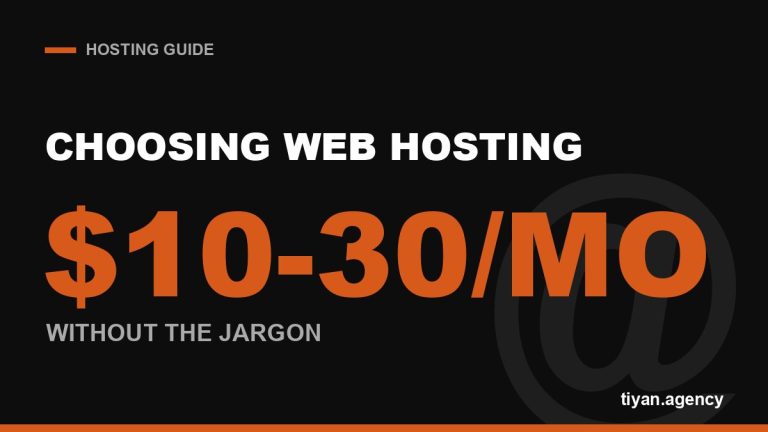
WordPress itself costs nothing. A small business site runs on $10–30/month hosting, plus optional premium plugins and, realistically, a maintenance arrangement (10–20% of build cost per year is the honest budget — the same upkeep rule from our website cost guide).
Webflow’s site plans run roughly $14–39/month depending on tier, with e-commerce plans higher. That subscription includes hosting, SSL, backups, and platform maintenance — which is genuinely good value for a lean team with no technical support.
Over five years the totals often converge. The real cost difference is structural: WordPress costs flatten with scale; Webflow’s grow with CMS items, traffic tiers, and seats.
03SEO and content marketing: WordPress’s home turf
Both platforms produce fast, crawlable, SEO-capable sites — Webflow’s clean output and built-in basics are excellent, and for a marketing site of 20 pages you will not be held back.
The gap opens with content at scale. If your growth plan is content marketing — pillar pages, topic clusters, hundreds of posts — WordPress’s editorial tooling, taxonomy flexibility, and SEO plugin ecosystem remain the industry benchmark. Webflow’s CMS is elegant but has item limits and less flexible content relationships. It is no accident that most serious content operations, including this blog, run on WordPress.
“Choose the platform for the website you’ll have in three years, not the one you’re launching next month. Migrations are always more expensive than choosing well.”
— The advice we give in every platform consultation
04Ownership, lock-in, and leaving
With WordPress you can export everything, switch hosts overnight, and fire your agency (even us) without losing your site. That portability is the quiet superpower of open source.
Webflow’s export is partial: static pages export as code, but CMS-driven content and interactions don’t transfer as a working site. Leaving Webflow generally means rebuilding — which is fine if you never leave, and expensive if you must. Factor that into any long-term decision.
05Maintenance and security: the honest trade
This is Webflow’s strongest card: there is nothing to update, patch, or back up — the platform does it. WordPress’s flexibility comes with stewardship: updates, backups, and security hardening, handled by you or a maintenance plan. Managed properly it is a non-issue; ignored, it is how WordPress sites get hacked. Budget for the stewardship or pick the platform that includes it — pretending the duty doesn’t exist is the only wrong answer.
- ✓ Content marketing / blogging is your growth engine → WordPress
- ✓ Design-led marketing site, no technical team → Webflow
- ✓ E-commerce ambitions (WooCommerce) → WordPress (see our Shopify vs WooCommerce guide)
- ✓ Full ownership and portability are non-negotiable → WordPress
- ✓ Heavy animations and visual polish lead the brief → Webflow
- ✓ Deep integrations with CRMs, bookings, memberships → WordPress
Our verdict: default to WordPress, choose Webflow deliberately
For most growing businesses, WordPress is the safer long-term foundation — ownership, content power, and room to become anything. Webflow is the right deliberate choice for design-led marketing sites run by lean teams who value zero maintenance over maximum control — and when it fits, it fits beautifully.
Torn between them for a real project? Tell us what you’re building — our web design team works in both and will recommend the one that fits your roadmap, not our preference. You will have a firm answer and price within a working day — builds from $250.
WordPress vs Webflow FAQs
Is Webflow better than WordPress?
+
Is Webflow good for SEO?
+
Is WordPress or Webflow cheaper?
+
Can I move my site from Webflow to WordPress later?
+
Do I need to know how to code to use Webflow or WordPress?
+
Which is better for blogging — WordPress or Webflow?
+
Is WordPress still worth using in 2026?
+